Can you have two of the same app on iPhone? Dual apps, explained
Also in: Tiếng Việt · Türkçe · Français
Short answer
No. iOS installs each app once and doesn't let any app copy another, so there is no Dual Apps setting and no real app cloner. What works: the app's own account switcher, a second Safari profile, or the service's website in a separate session.
On many Android phones, running two copies of the same app is a setting — Samsung calls it Dual Messenger, Xiaomi calls it Dual Apps. So it is a fair thing to look for on iPhone. It isn’t there, and no app can add it. Here is why, what the “dual app” apps on the App Store actually do, and the four things that do work.
Why iOS has no dual apps
Every iPhone app is installed once, under one identity, with one private container for its data. iOS doesn’t let an app copy another app, read its data, or install a second instance of it signed in as someone else. That isolation is a large part of why iPhone apps can’t snoop on each other — and it is exactly what rules out cloning.
What “dual app” and “app cloner” apps actually do
Search the App Store for dual app, app cloner or parallel space and you will find apps using those words. Look closely and each does one of three things:
- Opens the service’s website in a separate session. The “second WhatsApp” is WhatsApp’s web version, signed in with its own cookies.
- Adds an icon or shortcut that opens a website, or just the original app.
- Promises more than iOS allows, and collects one-star reviews from people who expected a real copy.
The first is genuinely useful, as long as you know that is what you are getting.
Start here: which option fits
| What you need | Use | Cost |
|---|---|---|
| A second account in an app that supports it | The app’s own account switcher | Free |
| A second sign-in on a service’s website | A second Safari profile | Free, built in |
| Several accounts of one service, each with its own notes and photos, switched together | Separate Spaces in an app such as SideSpace | Free to start |
| An app with no website that allows one account | A second device | — |
Option 1: the app’s own account switcher
Check this first: many big apps hold more than one account. At the time of writing:
| App | Accounts in the app | Where |
|---|---|---|
| Two | Settings › Account › Add account | |
| Several | Profile › tap your name | |
| TikTok | Up to three | Profile › tap your name |
| Telegram | Three, more with Premium | Settings › tap your name › Add Account |
| Gmail, Outlook | Many | Tap your picture |
| Facebook, X, Reddit | Several | Your profile › Switch account |
Each switches in a tap and keeps notifications for every account. Past its limit, or for a service that has no switcher, move on to the next options.
Option 2: a second Safari profile
Since iOS 17, Safari can keep separate profiles, each with its own cookies, history and tabs — so the same website can be signed in as two people at once.
- Open Settings › Apps › Safari.
- Under Profiles, tap New Profile, give it a name and an icon.
- In Safari, switch profile from the tabs button, and sign in to the second account there.
What it doesn’t separate: saved passwords are shared, and nothing outside Safari is kept apart.
Option 3: separate Spaces
SideSpace is the app I built for this, and it takes the web-session route and says so plainly: it runs services in isolated web sessions, doesn’t clone or modify any app, and isn’t affiliated with the services you add. What it adds over a browser is structure. Each Space has its own web sessions, so the same service stays signed in as a different person in each — Instagram 1, 2, 3 side by side — plus its own notes, photos and lock.
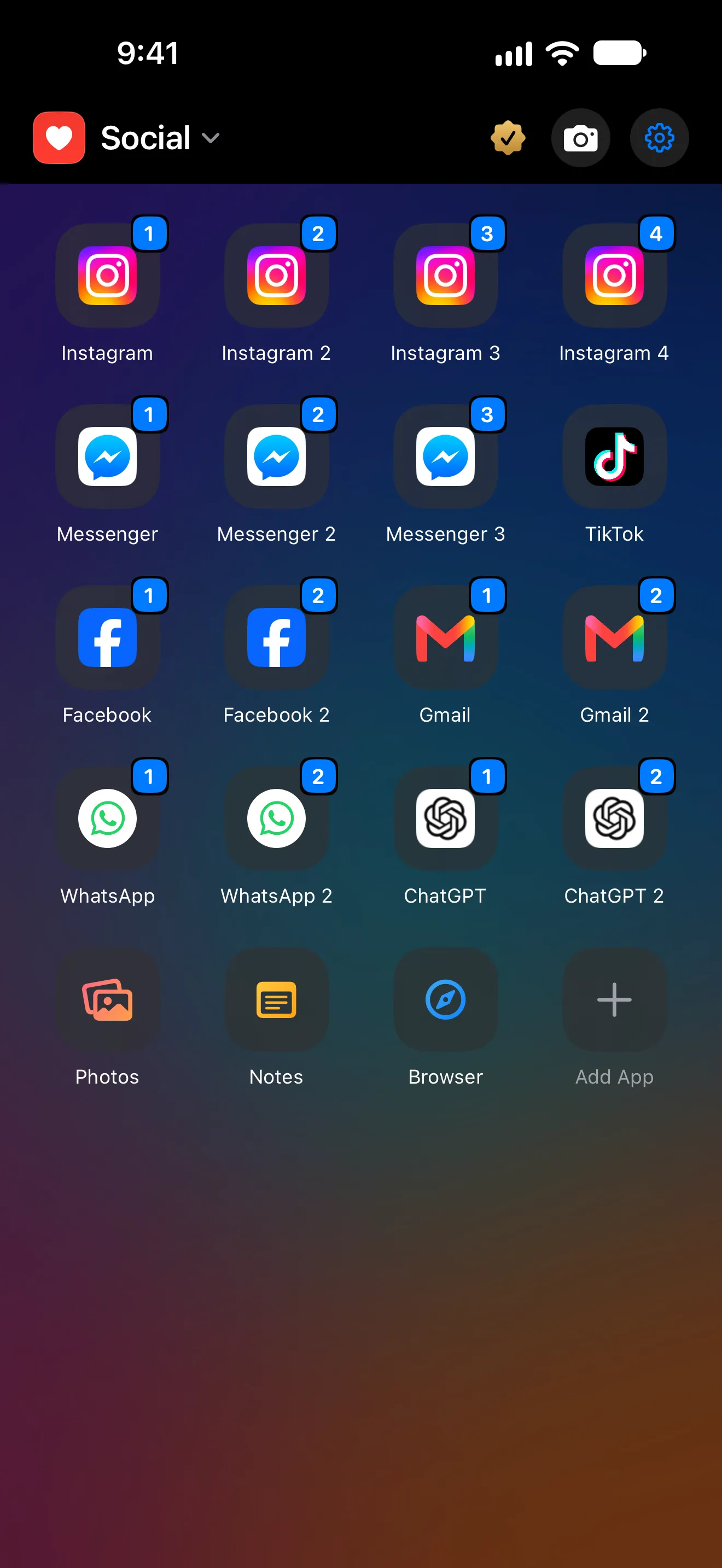
Because these are web sessions, not app copies, the limits are the web’s: no push notifications the way the app sends them, no features that only exist in the app, and nothing for a service without a website.
Option 4: a second device
For an app with no website that allows only one account, an old iPhone is sometimes the honest answer.
Android dual apps vs iPhone
| Android dual apps | iPhone | |
|---|---|---|
| Second copy of a native app | Yes, on many phones | No |
| Second account inside the app | Where the app supports it | Where the app supports it |
| Second sign-in on a website | A separate browser session | Safari profile or a separate Space |
| Notifications for the second account | Yes, from the cloned app | Only through the app’s own switcher |
Short answers
Can I clone an app on iPhone? No. iOS doesn’t allow a second copy of an app.
Is there a Dual Apps setting on iPhone? No. Apps that use the name open a service’s website in a separate session.
How do I use two accounts in an app that only allows one? Use the service’s website in a second Safari profile or a separate Space, or a second device if there is no website.
Do “duplicate” apps on iPhone get notifications? Web-based ones generally don’t. The app’s own account switcher does.